For dog trainers, groomers, walkers and sitters
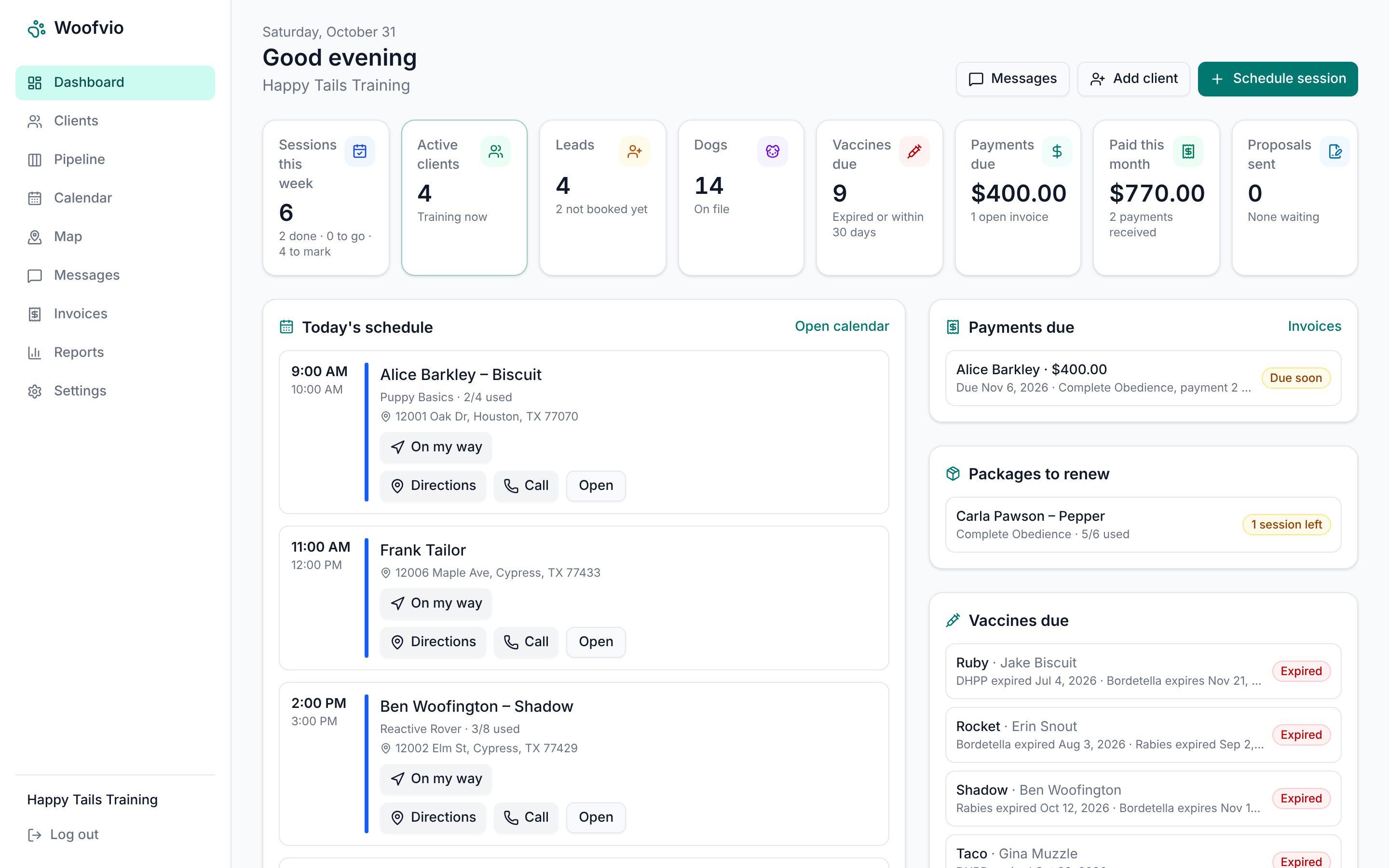
Run your pet business from one simple app
Scheduling, clients and pets, reminders, invoices and a portal for your clients. Woofvio does the busywork so you can spend your day with the animals.
No card needed · Cancel any time · Works on your phone
Made for the way you work
Dog trainers
- Packages that count down session by session
- Homework and skill tracking clients see
- Proposals with payment plans
Groomers
- Service menu with sizes and add-ons
- Grooming notes and warnings per pet
- "Due for a groom" reminders
Walkers and sitters
- Recurring visits and arrival windows
- GPS visit tracking and checklists
- Keys and access notes at the door
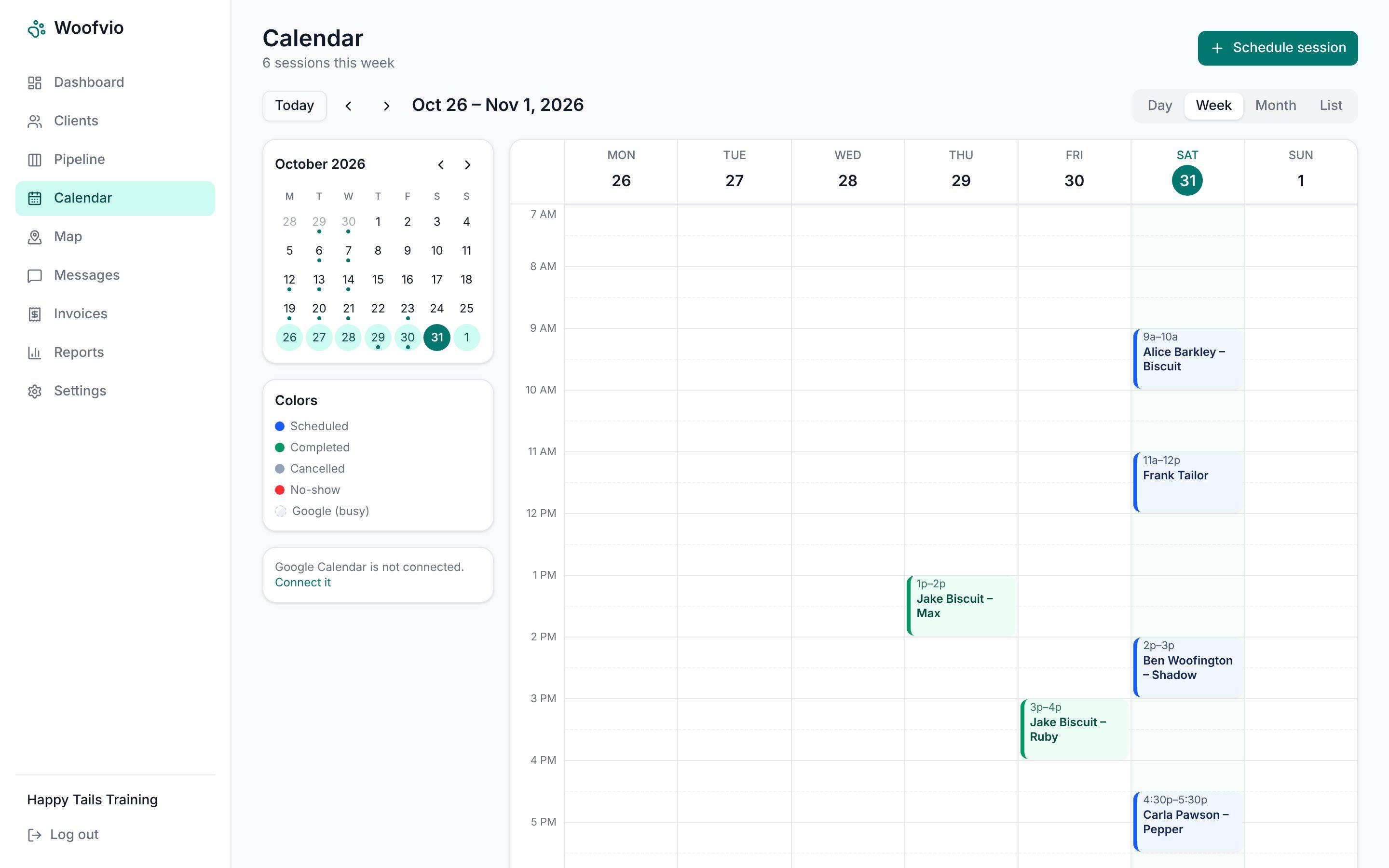
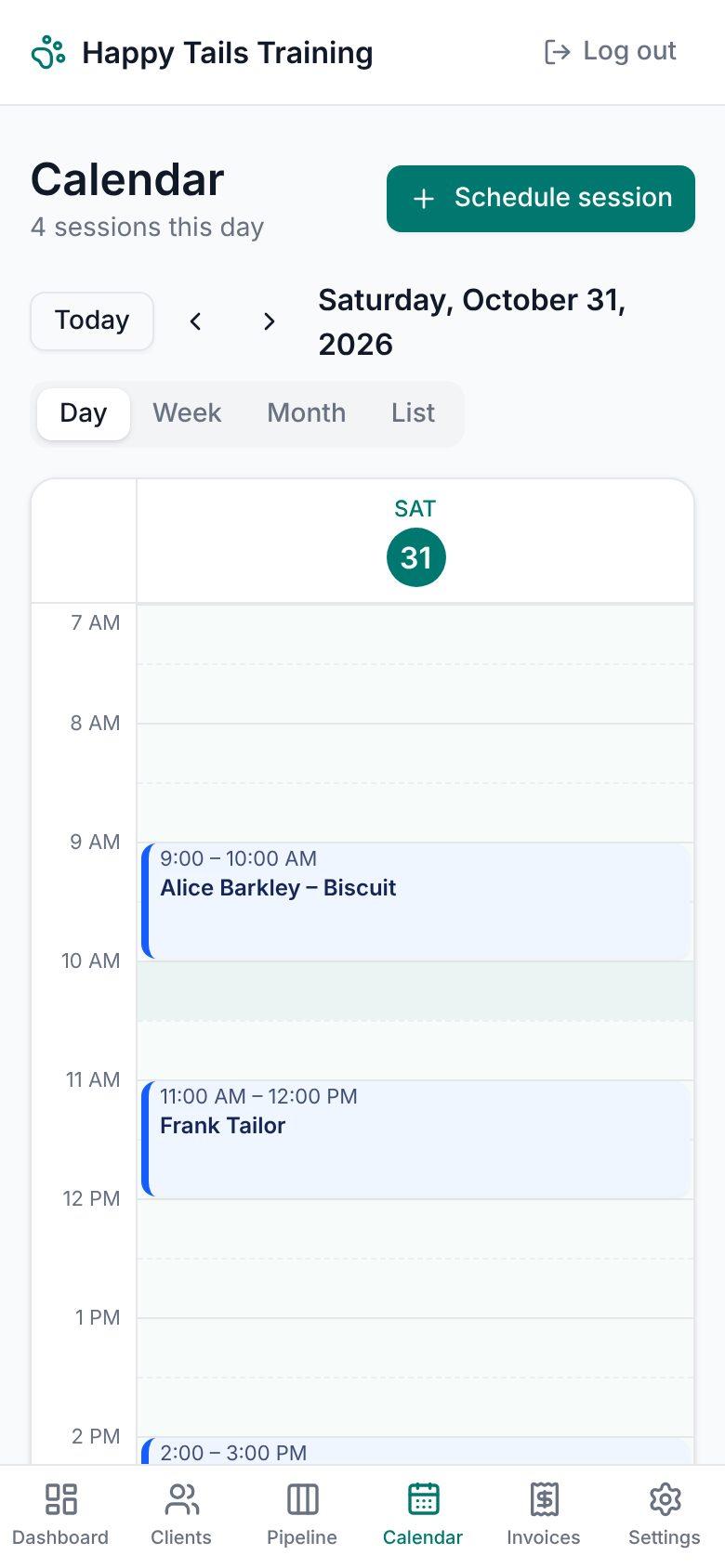
Your whole week, at a glance
Day, week, month and list views. Recurring visits, packages that count down by themselves, and two-way sync with Google Calendar. Apple Calendar and Outlook can show it too.
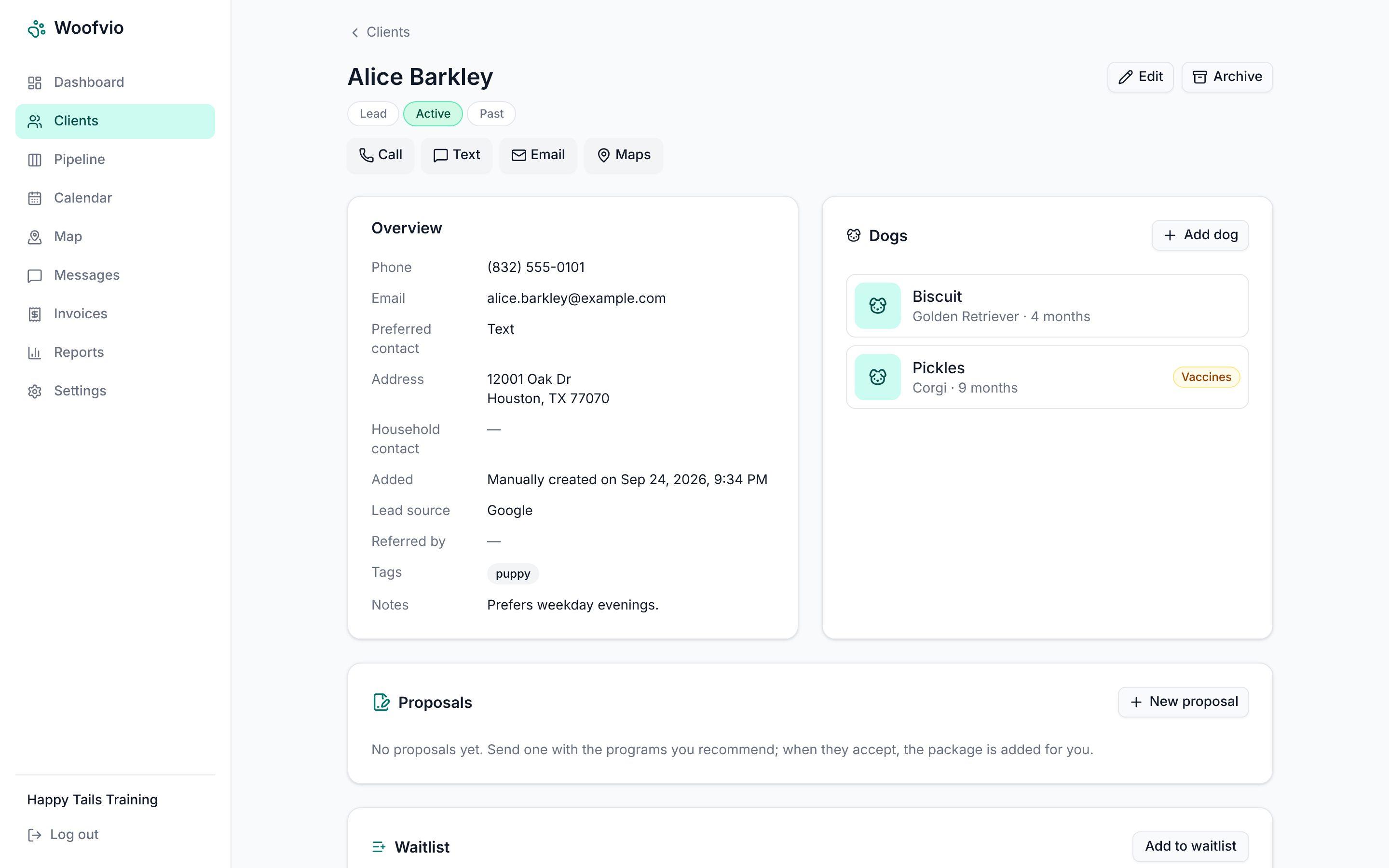
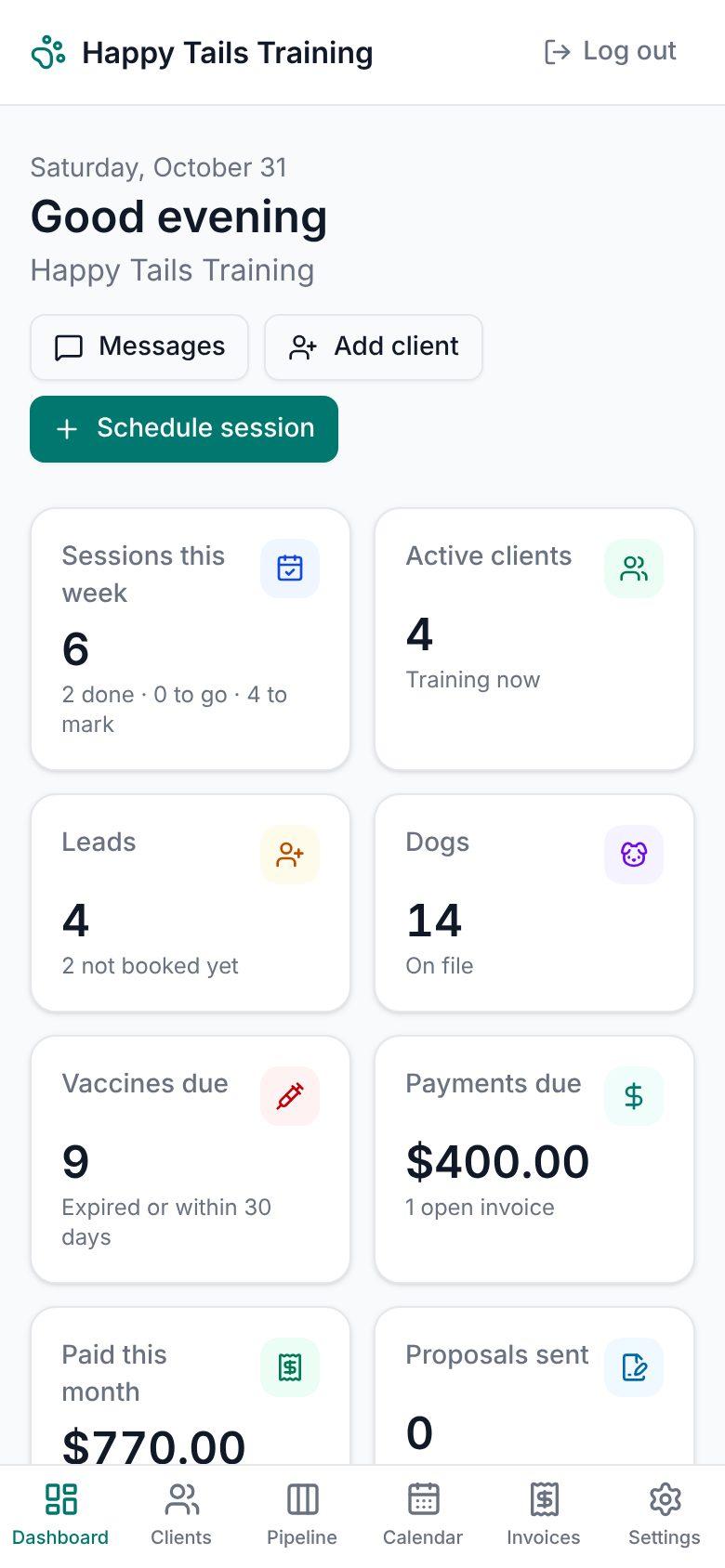
Every client and pet in one place
Contact details, pets, vaccines with expiry warnings, notes, forms and the full history of calls, texts, visits and payments. Call, text, email or get directions in one tap.
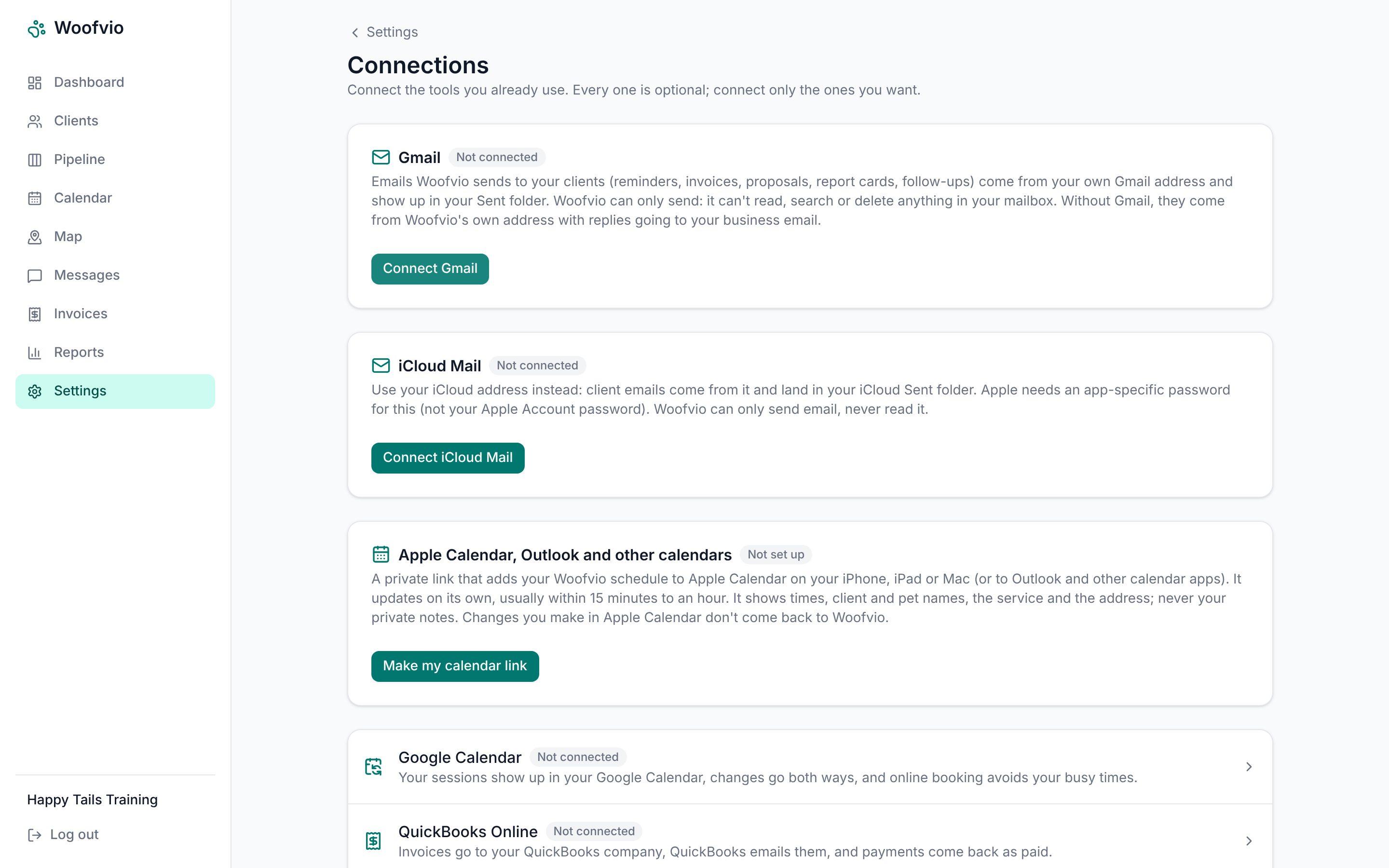
Works with the tools you already use
Connect Gmail or iCloud Mail so emails come from your own address, Google or Apple Calendar, and QuickBooks, Stripe or Square for payments. Every connection is optional.
Everything included
One plan, every feature. No add-ons to buy.
Reminders and confirmations
Clients get a reminder the evening before, with a one-tap Confirm link. You see who hasn't confirmed.
A portal for your clients
Clients see upcoming visits, homework and report cards, move or cancel within your rules, and book online.
Proposals, forms and waivers
Send a proposal or a waiver as a link. Clients choose, sign on their phone, and it's saved for you.
Invoices and payments
Invoices are created for you, with deposits, no-show fees, tips and memberships. Or just mark cash and checks paid.
Texts and follow-ups
"On my way" texts, a text inbox, and automatic follow-ups to new leads by text or email.
Map and drive time
See your clients on a map and today's route, with drive time between stops when you schedule.
Room to grow
Add a trainer or groomer later; each person sees only the clients you assign to them.
Online booking
A booking page for new clients that only offers times you're actually free.
How Woofvio uses Google Calendar and Gmail (optional)
If you connect your Google Calendar, Woofvio adds your sessions to it as events, keeps them up to date when you change them, and reads the times of your other events so clients can only book when you're free. If you connect Gmail, the emails Woofvio sends to your clients come from your own Gmail address; Woofvio can only send, never read your mail. Woofvio never sells Google data or uses it for ads, and you can disconnect either one at any time. See our privacy policy.
Built for your day on the road
Today's visits in order, with directions, an "On my way" text, the door code and the pet's notes. Mark a visit done, add photos and send a report card before you reach the next driveway.
Add Woofvio to your iPhone home screen and it opens like an app.
Simple pricing
Everything included
$49 a month
after your 21-day free trial · no card to start · cancel any time
- Unlimited clients, pets and visits
- Client portal and online booking
- Reminders, texts and follow-ups
- Invoices, deposits, fees and memberships
- All connections: Gmail, calendars, QuickBooks, Stripe, Square
- Your clients never pay to use Woofvio
Questions
Do I need a credit card to try it?
No. Start your free trial with just an email address. You only add a card if you decide to keep using Woofvio.
Does it work on my phone?
Yes. Woofvio works in the browser on any phone, tablet or computer. On an iPhone, tap Share, then Add to Home Screen, and it opens like an app.
Where does my clients' money go?
Straight to you. Clients pay through your own QuickBooks, Stripe or Square account, or you take cash and checks. Woofvio never holds your money.
Can I bring my existing clients?
Yes. Import them from a spreadsheet (CSV) in a couple of minutes, or add them one at a time.
Can I cancel any time?
Yes. Cancel from Settings whenever you like, and you keep access until the end of the month you paid for. You can download all your data at any time.
Is my data private?
Each business only ever sees its own records, and your clients only see their own pets and visits. We never sell your data.
Spend less time on paperwork and more with the animals
Set up in minutes. Bring your clients from a spreadsheet, and try everything free for 21 days.
Start free